SecureX
SecureX was Cisco's first foray into the Security Platform market. Years prior, the teams I managed were designing and developing experiences for Incident Responders and Security Analysts based on APIs and integrations from point product to point product. For example, an Endpoint Security specialist could triage an incident in Cisco Secure Endpoint, determine a Windows machine connected to a malicious domain, then block that domain within Secure Endpoint using an API into Cisco Umbrella where domains could be added to a block list at the DNS resolver. SecureX brought all of these capabilities into a single pane of glass. An Incident Responder was empowered with a sole locale by which to perform their investigations and remediations.
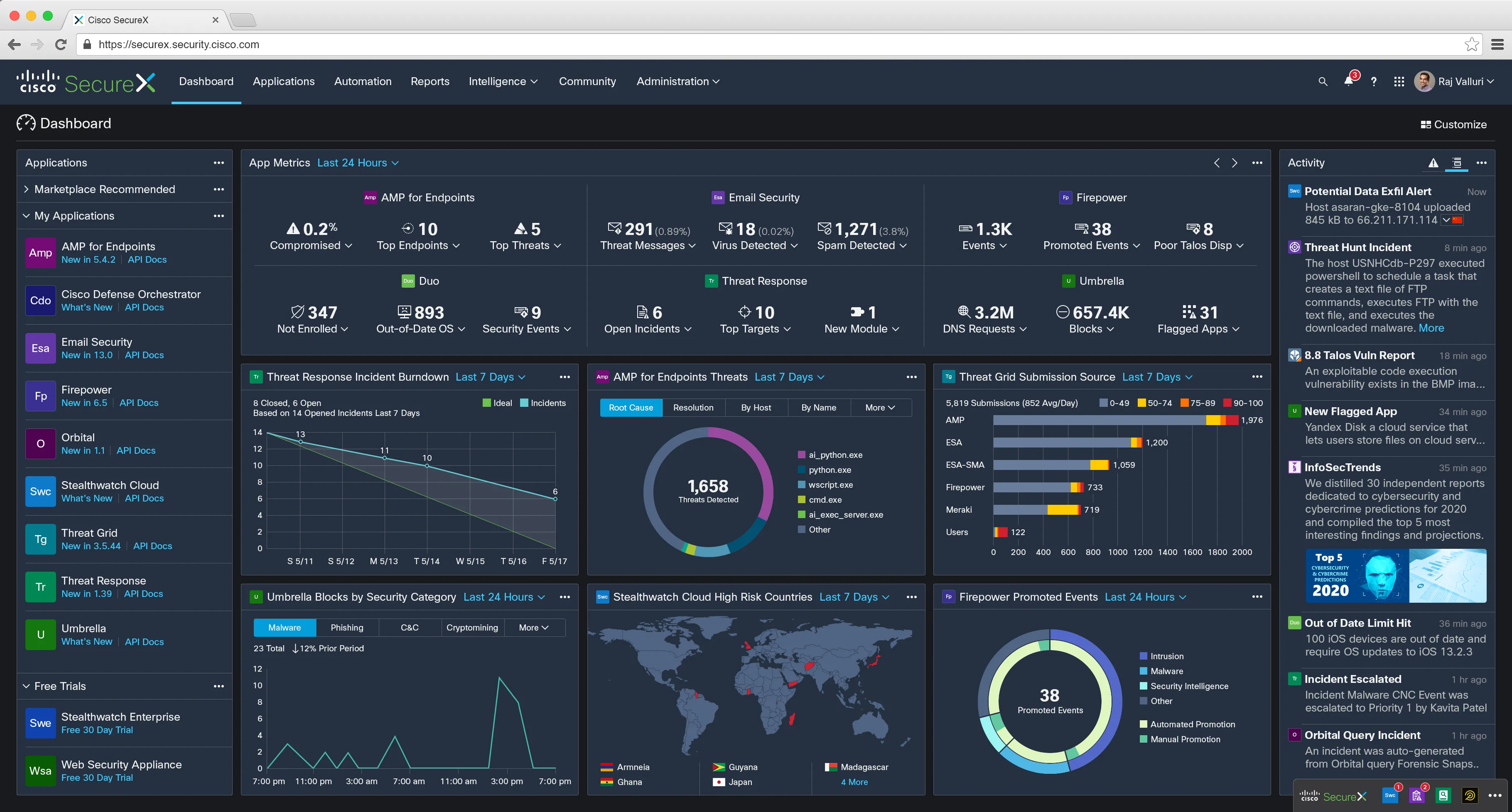
SecureX brought point product capabilities into a platform, but, like all software, releases were staged and features had specific, often slow timelines. To remedy this, I created the SecureX Ribbon. The Ribbon is a 3rd party JavaScript widget and browser extension (now the XDR Ribbon). When deployed through point products (some on-prem), it allowed the platform experience to follow the security professional throughout their day — even off Cisco estate via the browser extension.
SecureX Ribbon Incident Response Use Case in 4 Steps
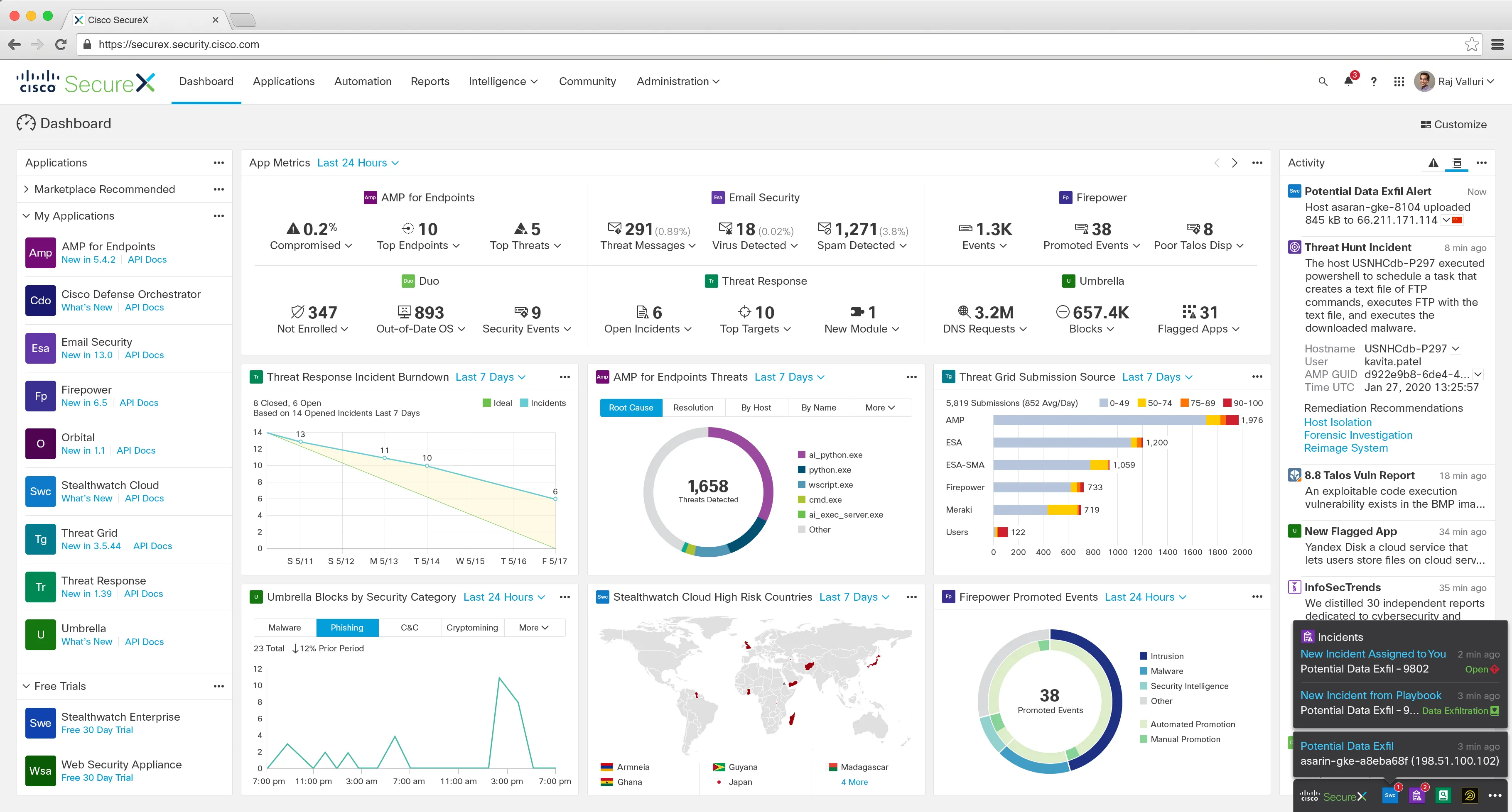
Step 1. While on the SecureX Dashboard, an Incident Responder is alerted to a potential data exfiltration event from Cisco Stealthwatch Cloud via the SecureX Ribbon. Notifications for the associated playbook and auto-created incident appear as well. Immediately after the exfil was detected, the playbook ran and the Incident was created and assigned — all surfacing through the Ribbon in the IR’s current context.
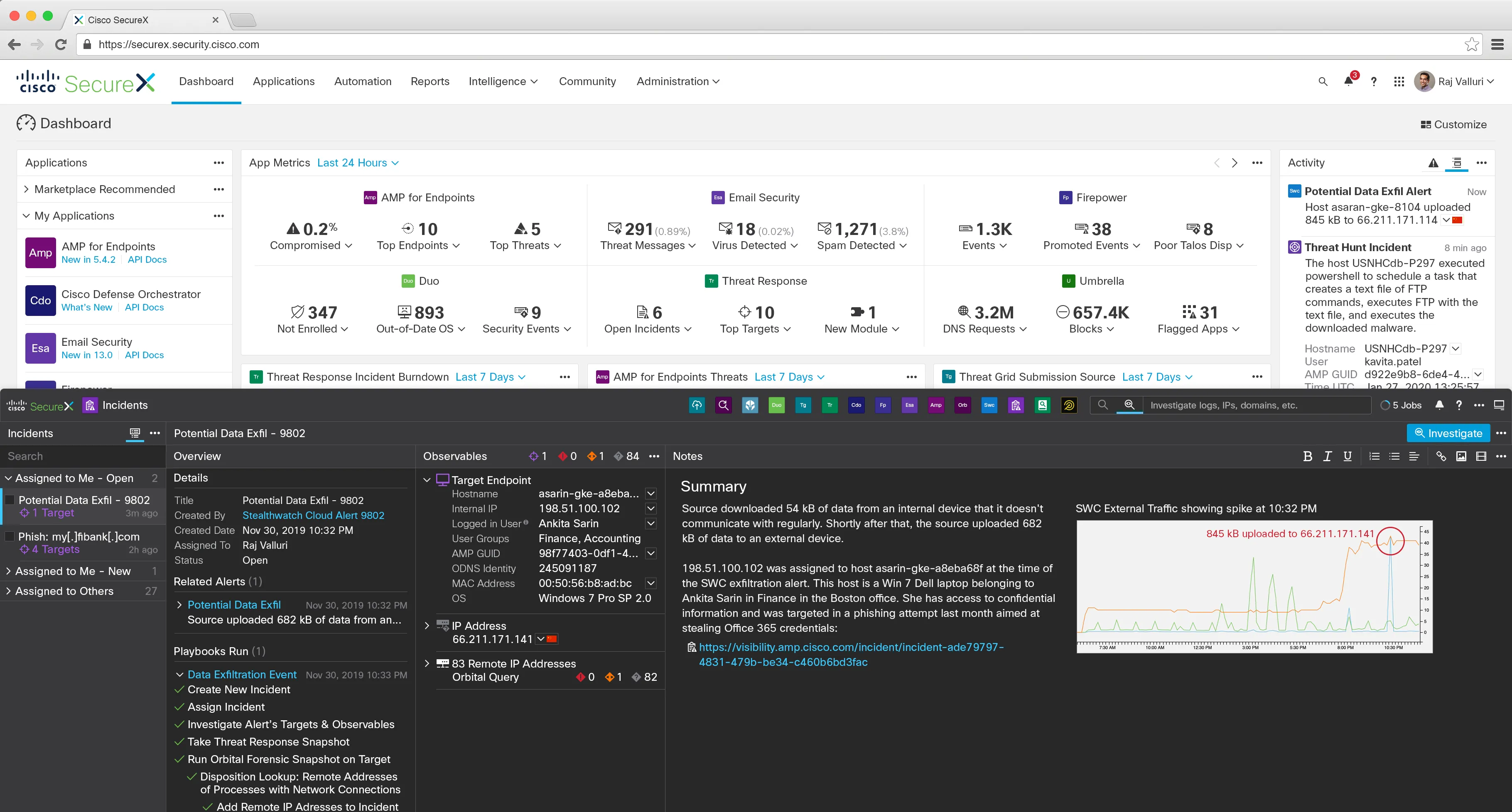
Step 2. The IR clicks their assigned incident notification to open the Incidents ribbon app. Relevant details are automatically collected and correlated. The source of the exfil is an internal Finance executive on their Win 7 laptop. Interestingly, she was targeted by a failed O365 credential phishing attempt last month. These details help the IR quickly reason through the situation. They click the Investigate button.
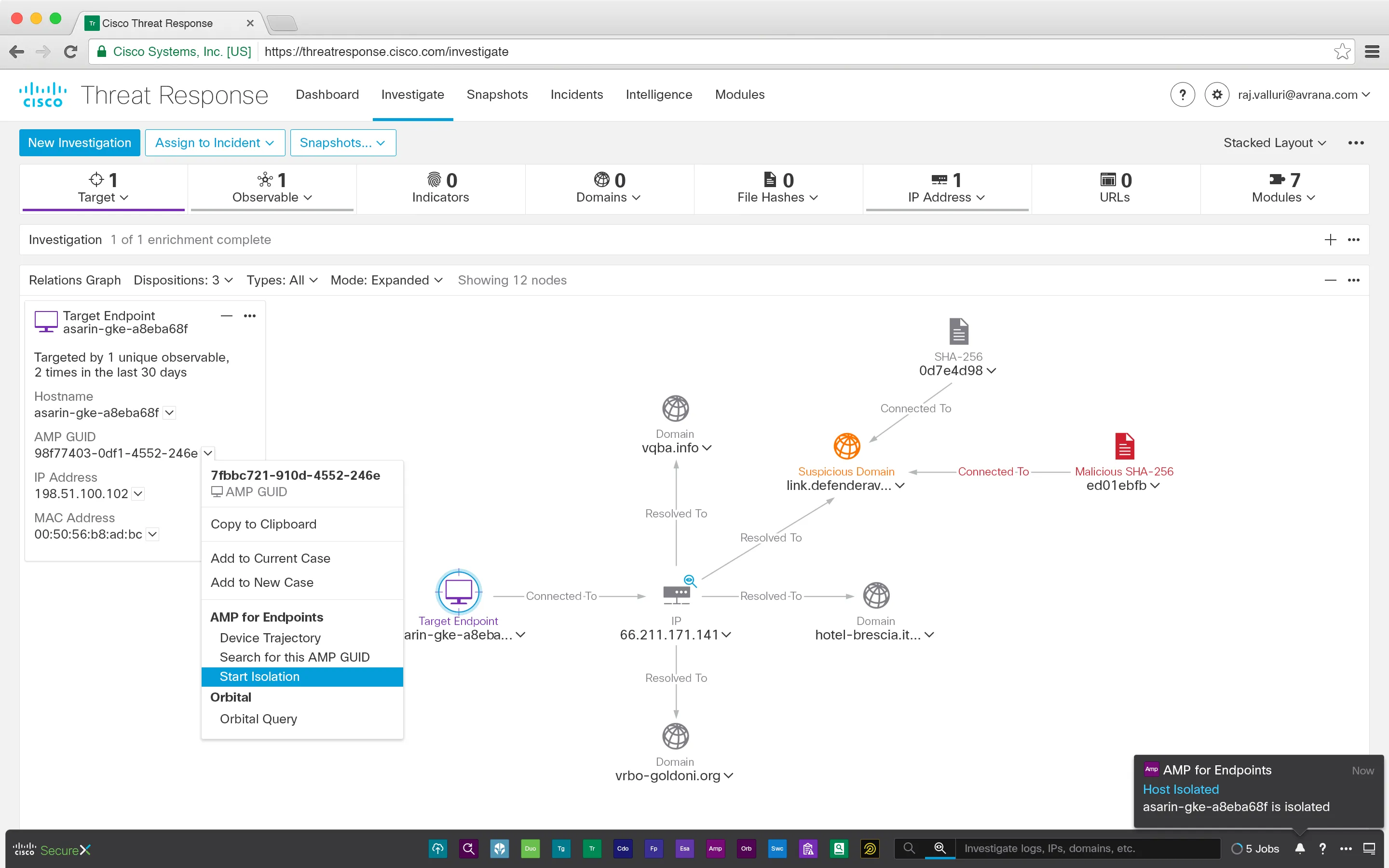
Step 3. The IR is navigated to Threat Response Investigation. Threat Response is not yet integrated into the SecureX platform. Still, the Ribbon keeps use case continuity. Pivoting to another product interface, the IR sees their security toolbelt travel with them, keeping context as they review the investigation graph. From here, the IR decides to isolate the Finance exec’s laptop — pulling her machine off network to prevent further exfiltration. The Ribbon reflects state as the laptop is successfully isolated.
Step 4. Wanting to respond thoroughly, the IR uses the Ribbon’s sister widget, the Pivot Menu, to block the exfil domain. The Pivot Menu is an atomic UI element that can be added to nearly any context via its small footprint — simply a button with chevron icon. The power lies within the integrations. Domain blocking is managed by an entirely separate product line — Cisco Umbrella where blocking is invoked at the DNS resolver. However, due to the “travelling SecureX platform”, the block capability manifests in the Threat Response investigation context where the IR has the necessary evidence to take a confident block action.
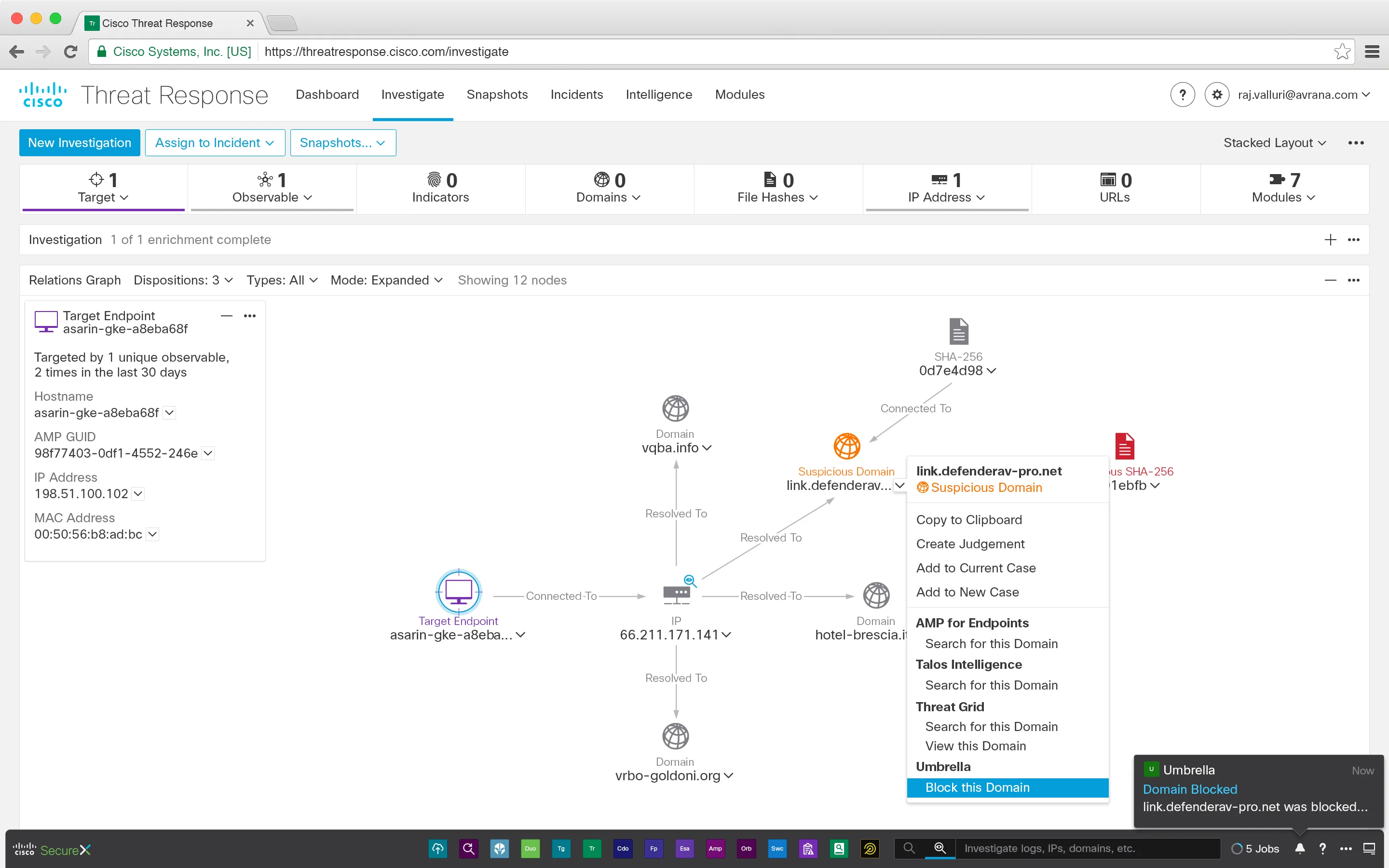
Despite product fragmentation, using SecureX, the Ribbon, and the Pivot Menu, the Incident Responder is able to assess a situation and effectively respond in under 3 minutes.

